Fleet Analytics
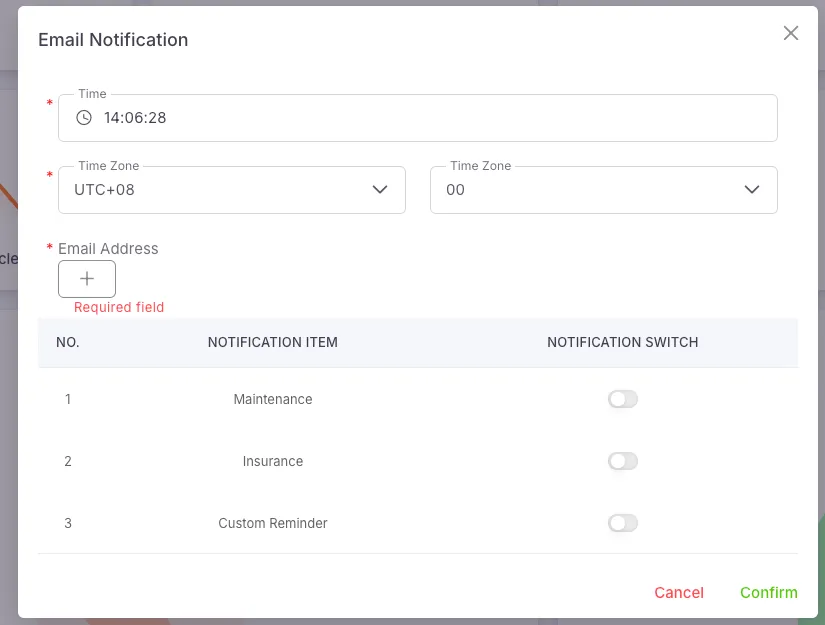
Pending Tasks Email Notification Settings
Section titled “Pending Tasks Email Notification Settings”When the Remind Maintenance Date or Remind Maintenance Mileage in a vehicle’s maintenance record, the Remind Insurance Date in an insurance record, or the Remind Date for a custom reminder reaches the set conditions, users can configure whether to send notifications via email.
Maintenance Records
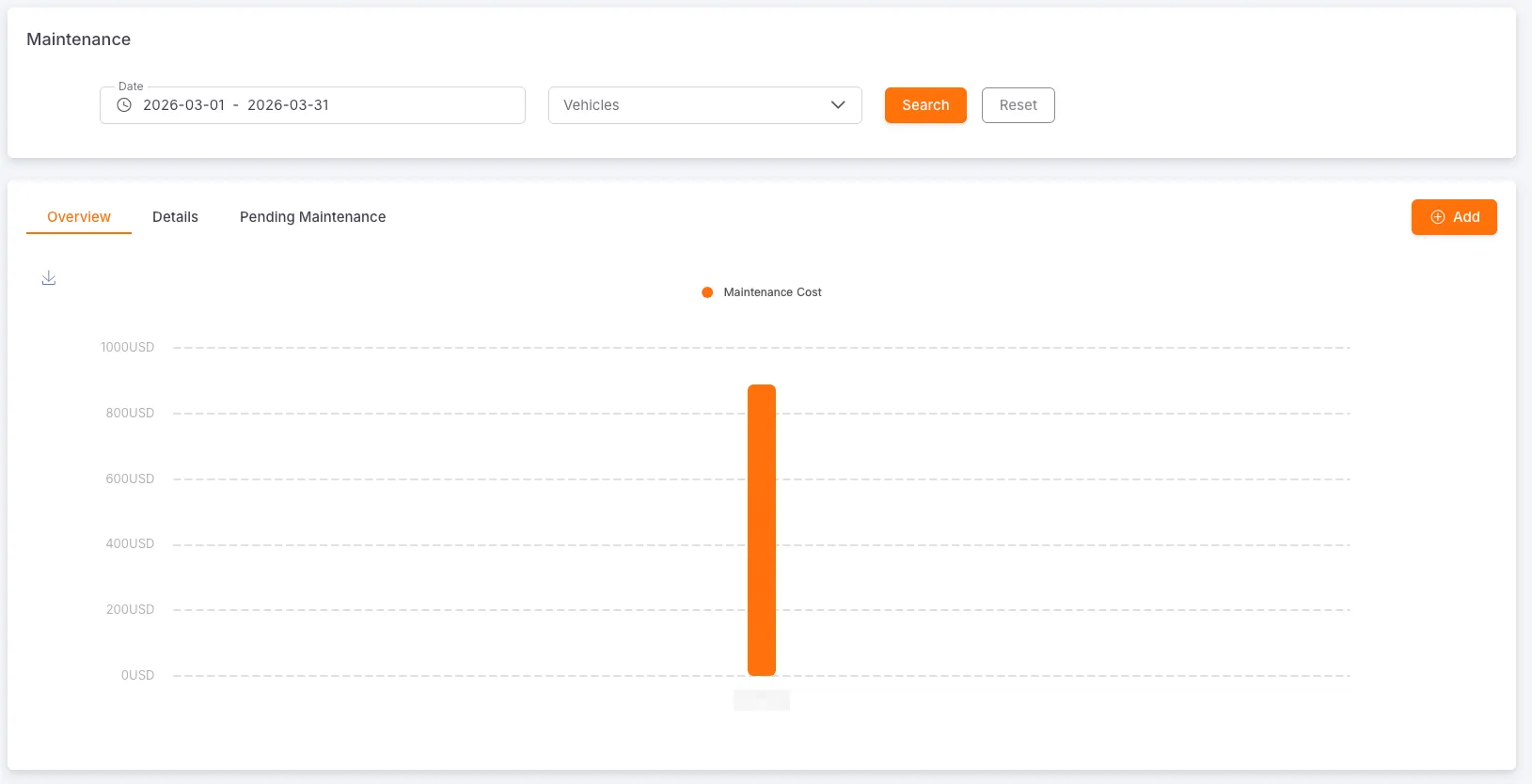
Section titled “Maintenance Records”Users can query, create, edit, and delete maintenance records by date and vehicle. The system also provides a bar chart to visually display the maintenance costs for each vehicle.
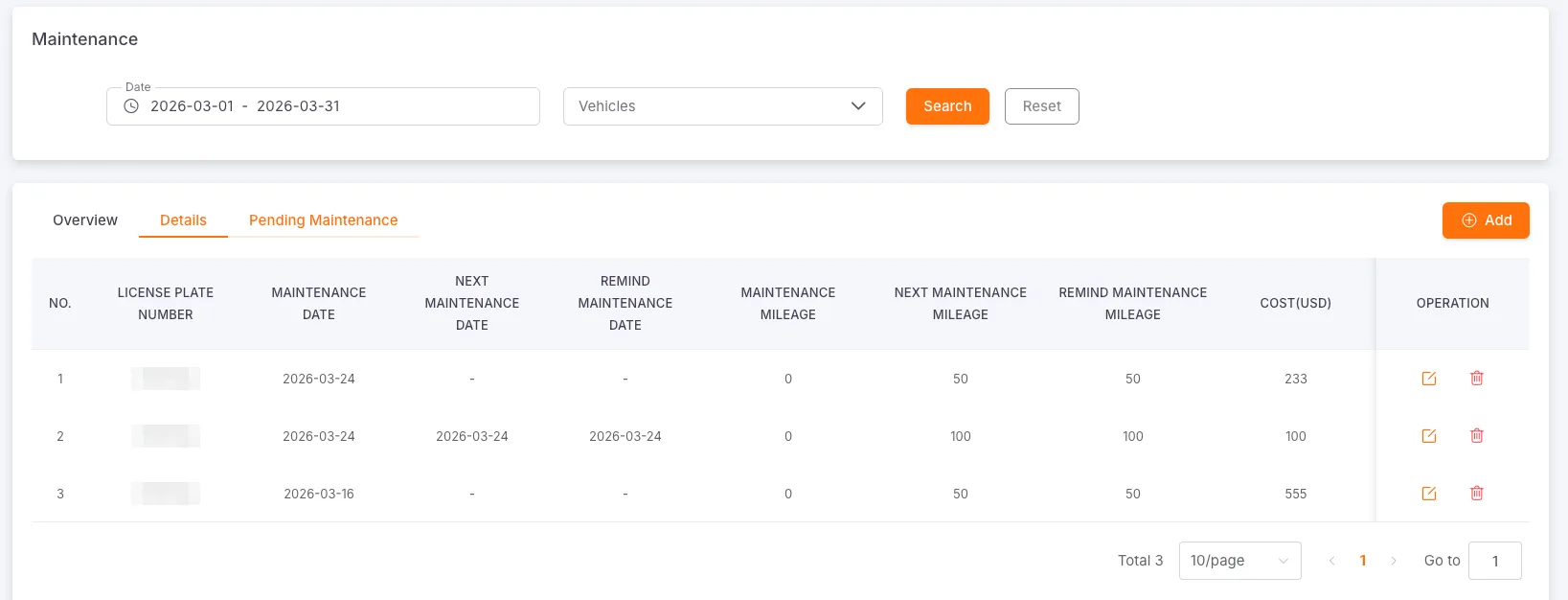
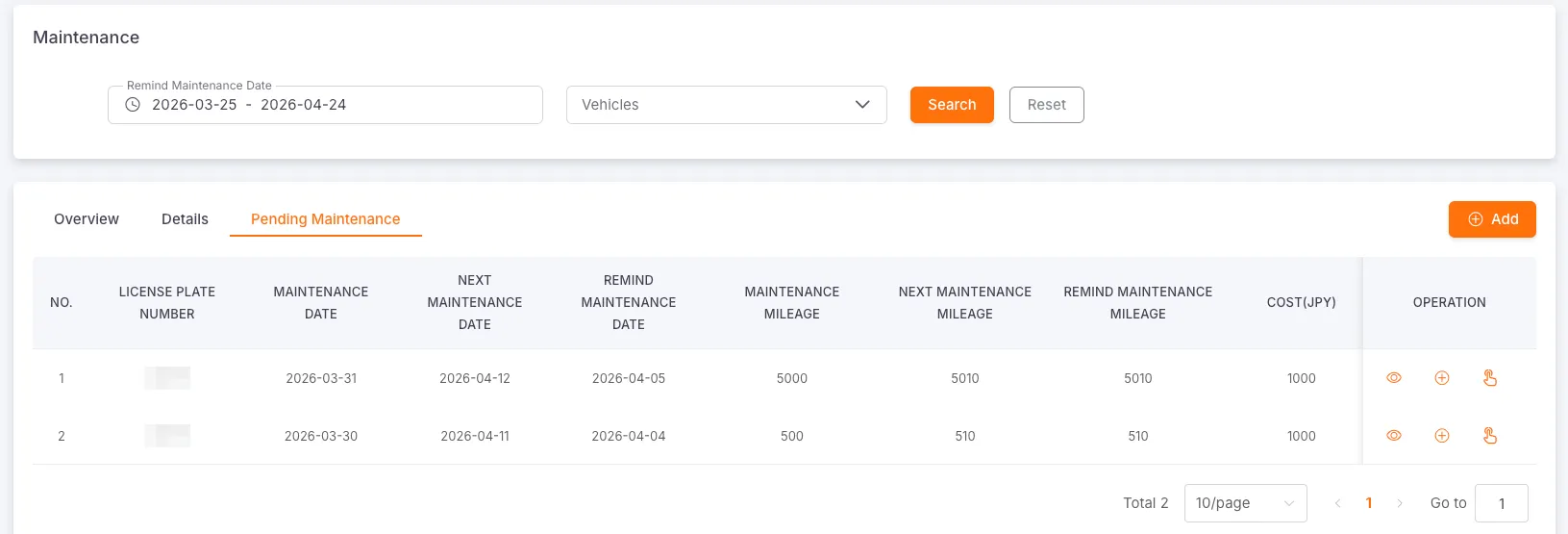
When the Remind Maintenance Mileage is less than or equal to the current cumulative mileage reported by the vehicle device OR the Remind Maintenance Date is less than or equal to the current date, the vehicle will enter the Awaiting Maintenance state.
Clicking the Read or Add button will remove the vehicle from the Awaiting Maintenance state and cancel the email notification.
Log Maintenance Record
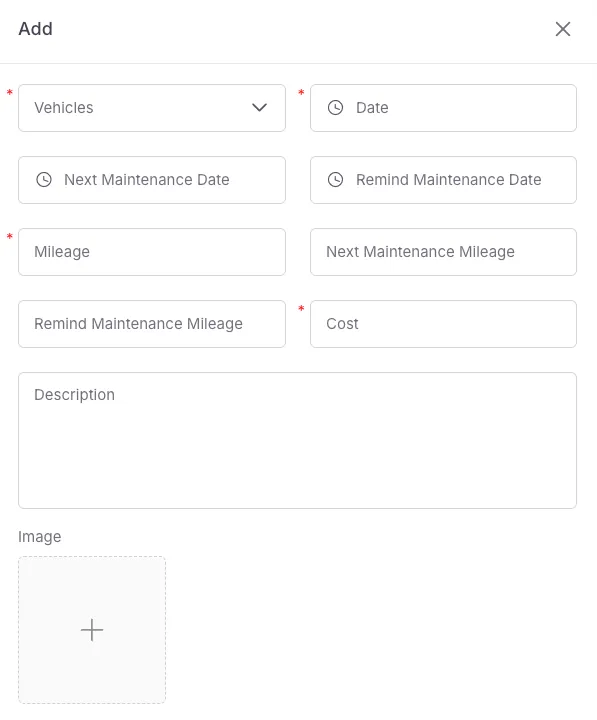
Section titled “Log Maintenance Record”Required fields: Vehicle, Maintenance Date, Maintenance Mileage, Maintenance Fee
Optional fields: Next Maintenance Date, Next Maintenance Mileage, Remind Maintenance Mileage, Remind Maintenance Date, Description, Image
The maintenance cost unit is consistent with the currency unit set in the platform.
Insurance Records
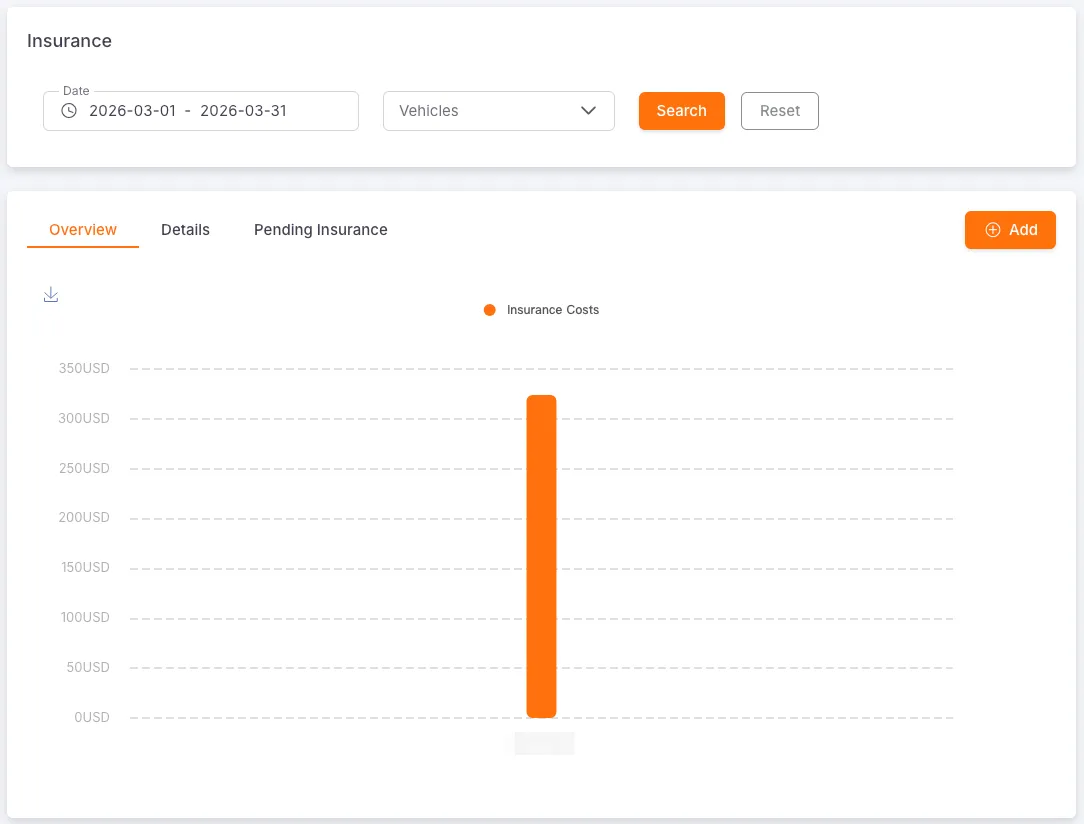
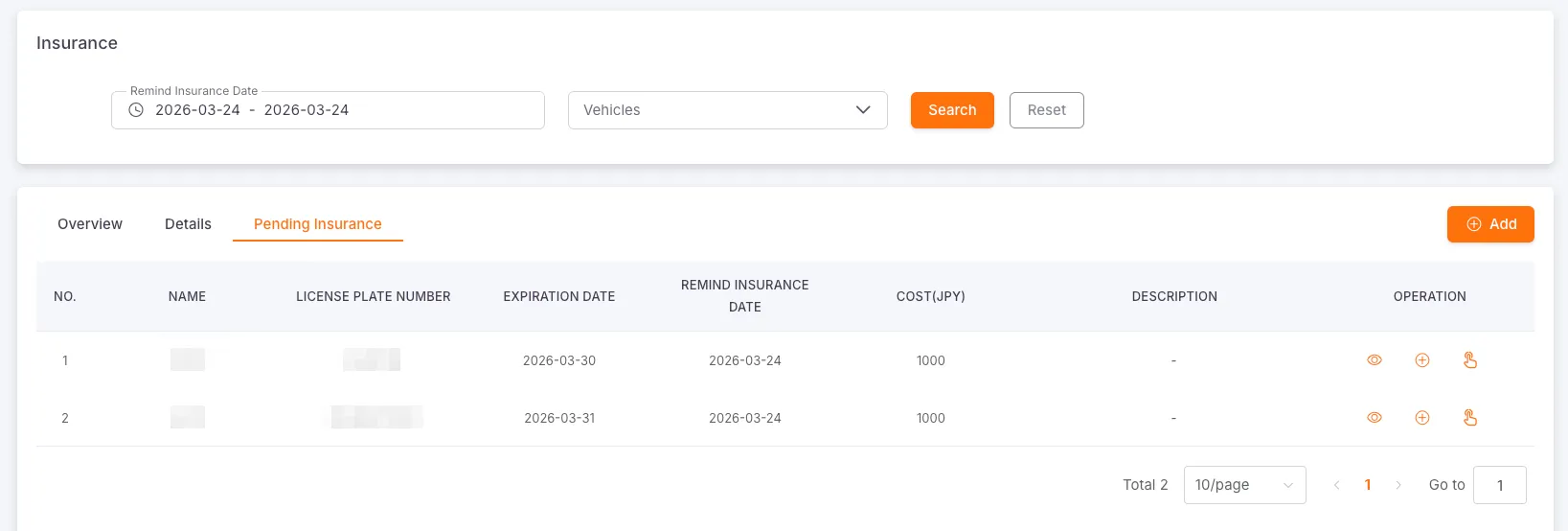
Section titled “Insurance Records”Users can query, create, edit, and delete insurance records by date and vehicle. The system also provides a bar chart to visually display the insurance costs for each vehicle.
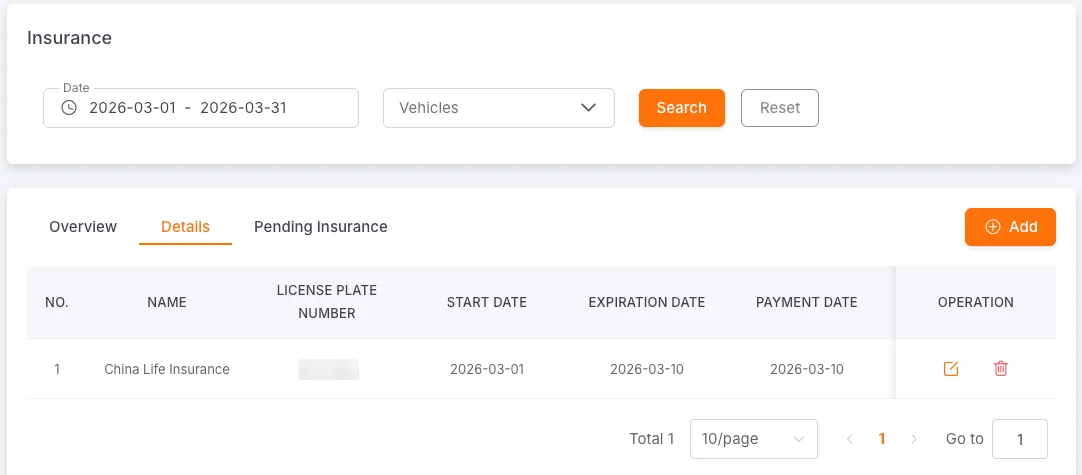
When the Remind Insurance Date is less than or equal to the current date, the vehicle will enter the Awaiting Insurance state.
Clicking the Read or Add button will remove the vehicle from the Awaiting Insurance state and cancel the email notification.
Log Insurance Record
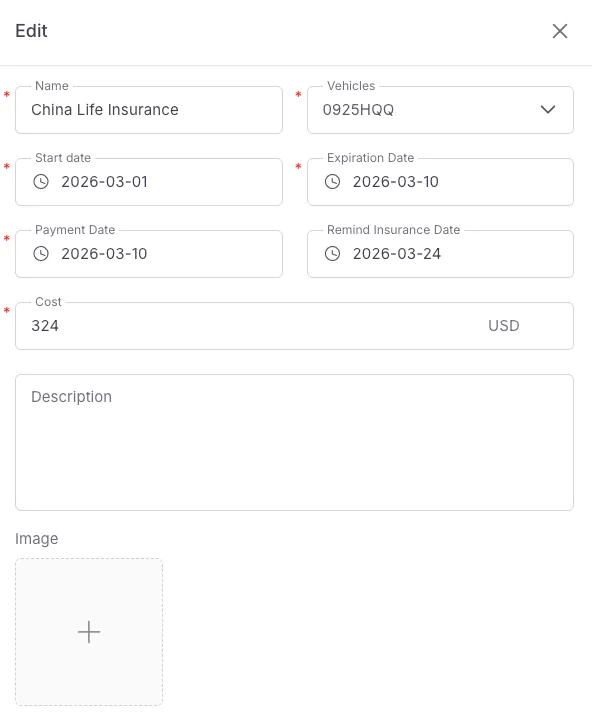
Section titled “Log Insurance Record”Required fields: Vehicle, Insurance Name, Start Date, Expiration Date, Payment Date, Insurance Fee
Optional fields: Remind Insurance Date, Description, Image
The insurance cost unit is consistent with the currency unit set in the platform.
Fuel Records
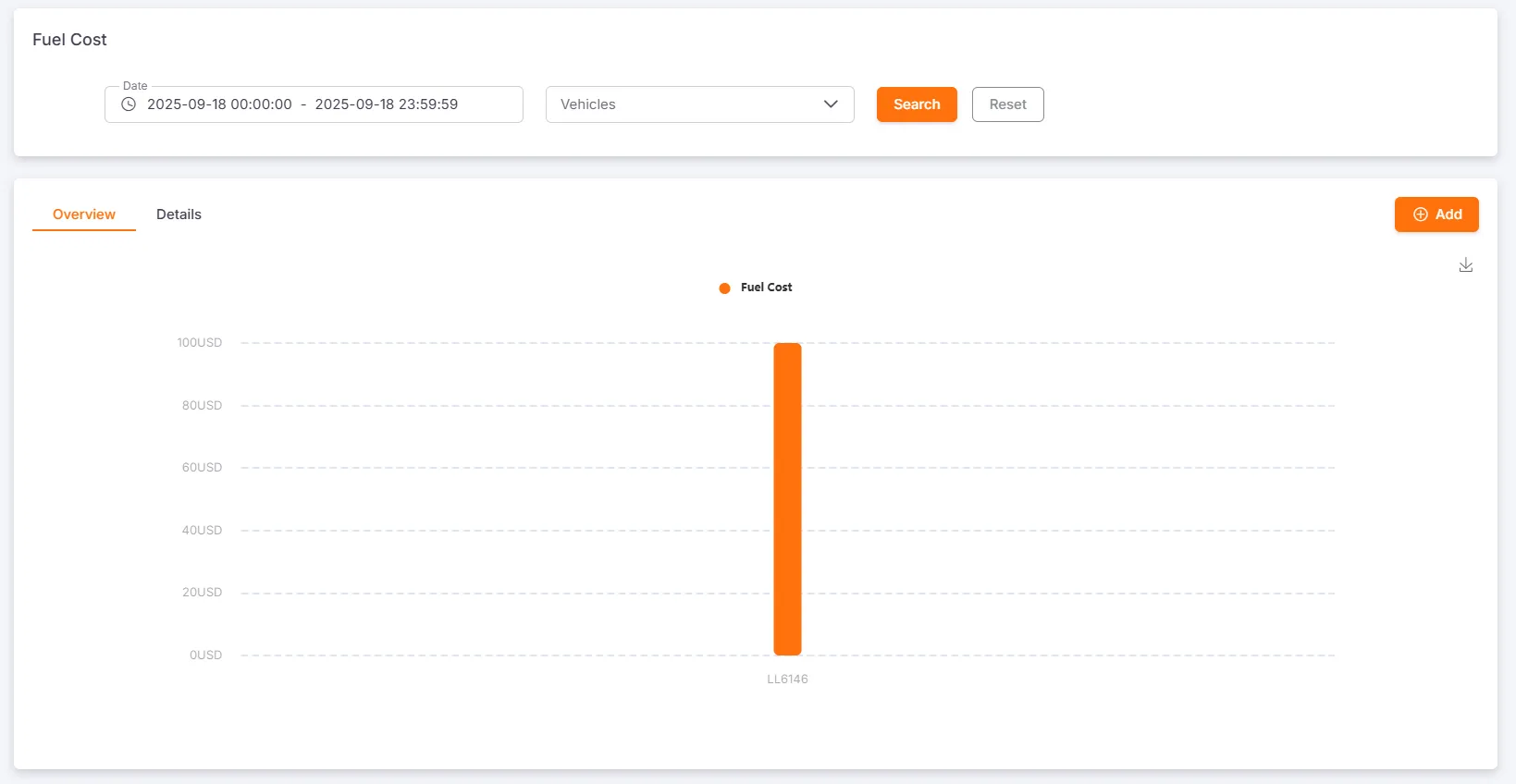
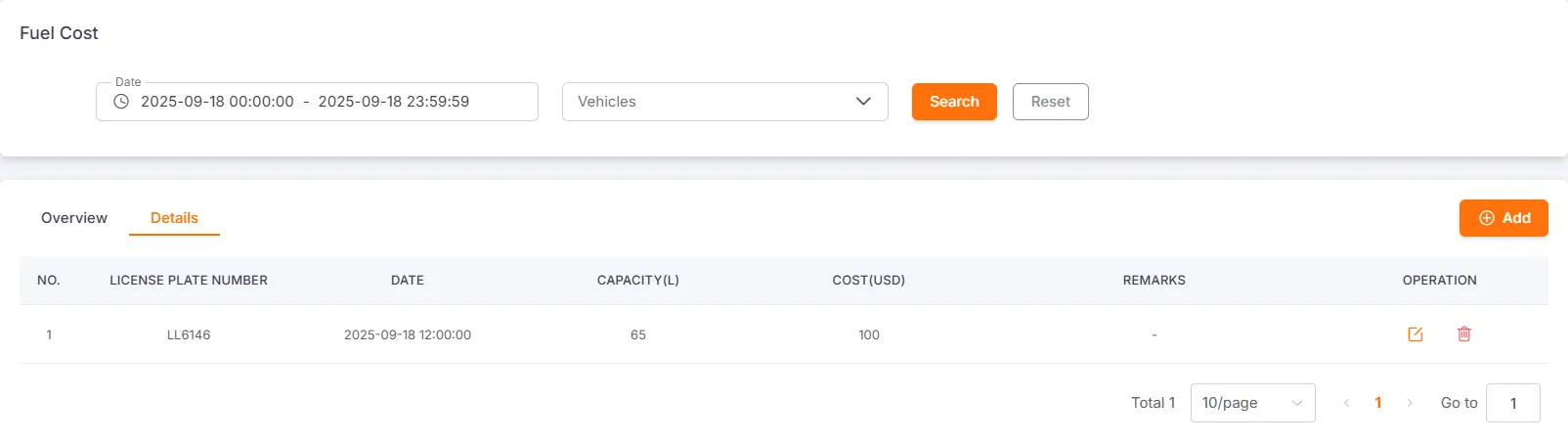
Section titled “Fuel Records”Users can query, create, edit, and delete fuel records by date and vehicle. The system also provides a bar chart to visually display the fuel costs for each vehicle.
Log Fuel Record
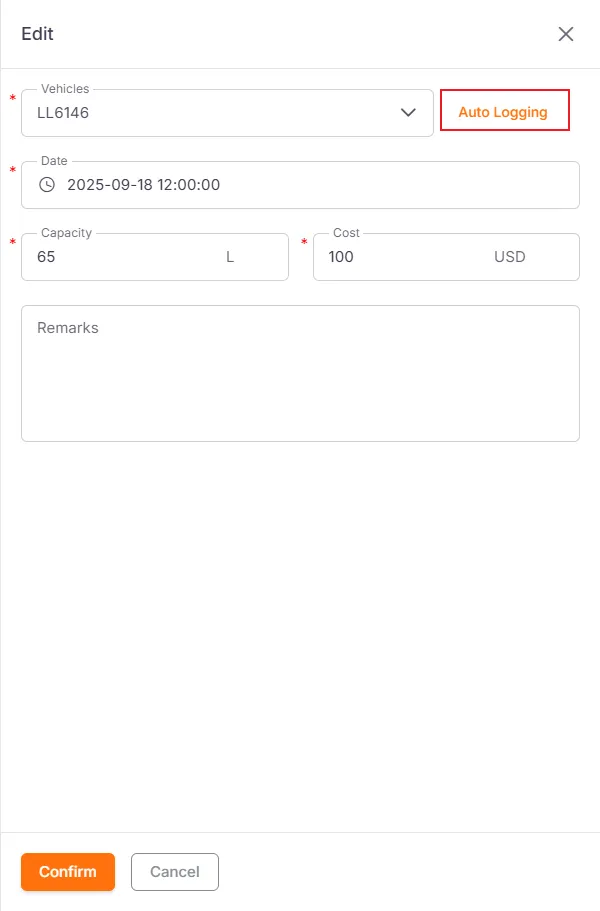
Section titled “Log Fuel Record”When logging a fuel record, you must select a vehicle and fill in the refueling date, refueling capacity, and fuel cost. Remarks are optional.
If the vehicle is equipped with a fuel sensor, the system can query the fuel level change records. Checking the relevant record can automatically fill in the refueling information.
Custom Reminder Records
Section titled “Custom Reminder Records”Users can customize vehicle reminder records and support querying, creating, editing, and deleting them by expiration date and vehicle.
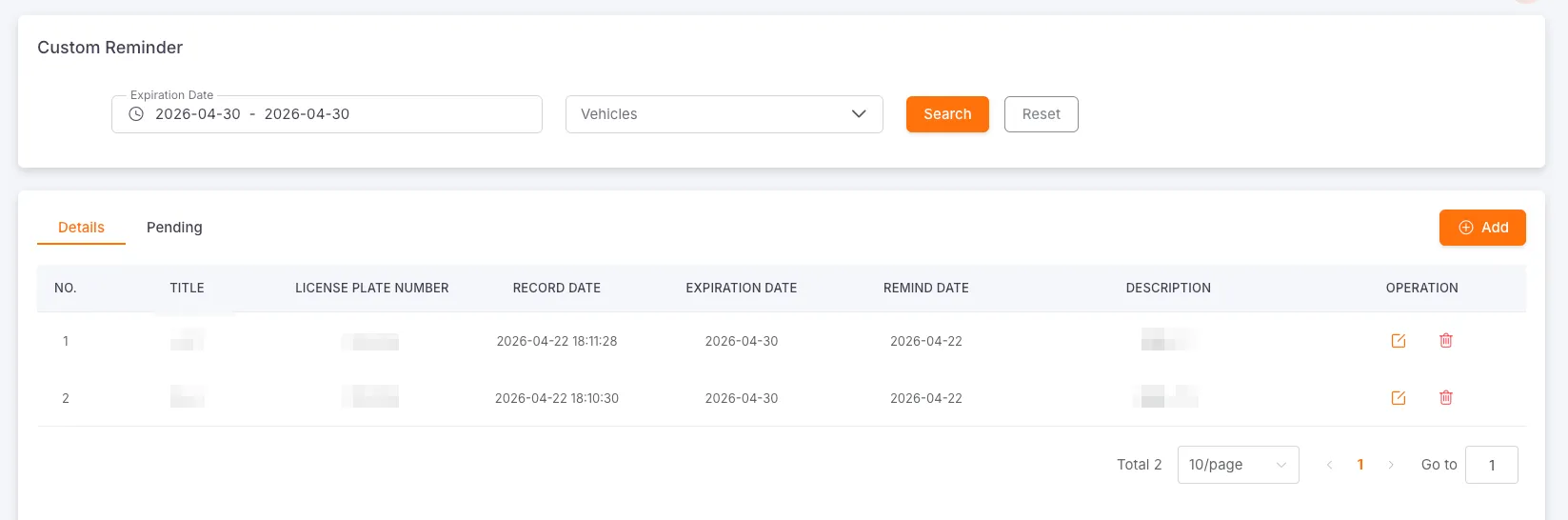
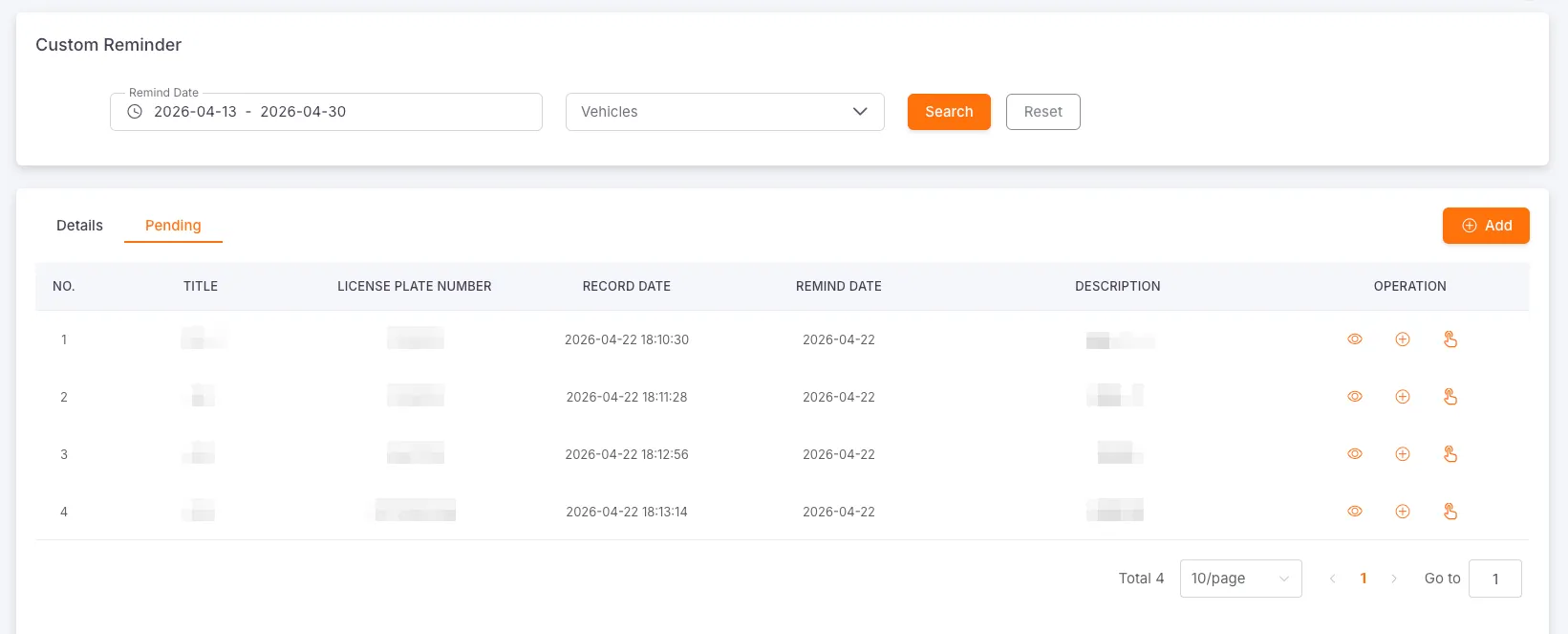
When the reminder time in the custom reminder record meets the set conditions, the system will automatically generate a corresponding pending record. If email notification is enabled, an email notification will be sent.
Clicking the Read or Add button will remove the vehicle from the pending status and cancel the email notification.
Log Custom Reminder Record
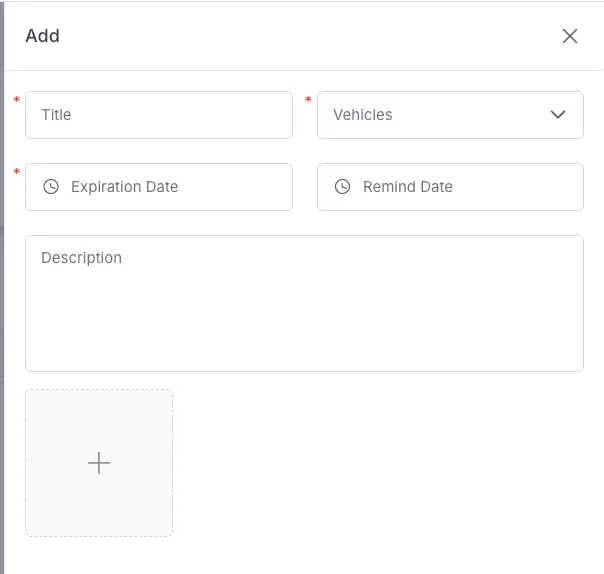
Section titled “Log Custom Reminder Record”You can customize reminder items, such as vehicle annual inspection, driver’s license annual review, etc.
Required fields: Title, Vehicle, Expiration Date, Remind Date
Optional fields: Description, Image