Attendance Management
Device Management
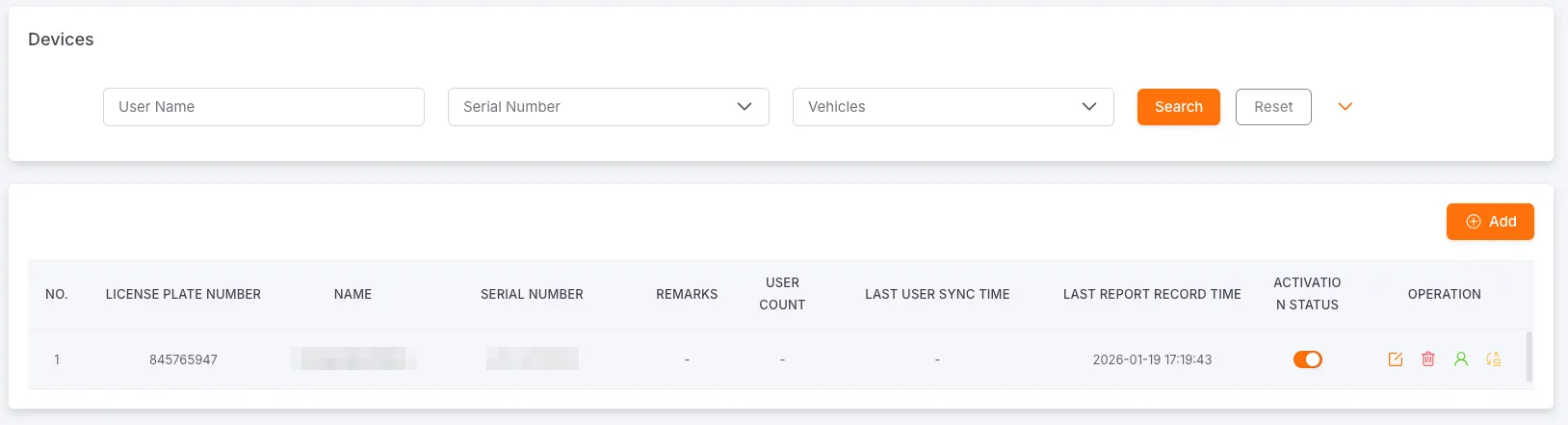
Section titled “Device Management”Search filters: Device Name, Serial Number, Monitored Vehicle, Last User Sync Time, Last Record Report Time
Used to manage the basic information, status, and user associations of attendance devices. The content includes License Plate Number, Name, Serial Number, Remarks, Number of Users, Last User Sync Time, Last Record Report Time, Enable/Disable Status. The data supports export. From here, you can create, edit, delete, resync users, enter user management, and enable/disable attendance devices.
Create and Edit Device
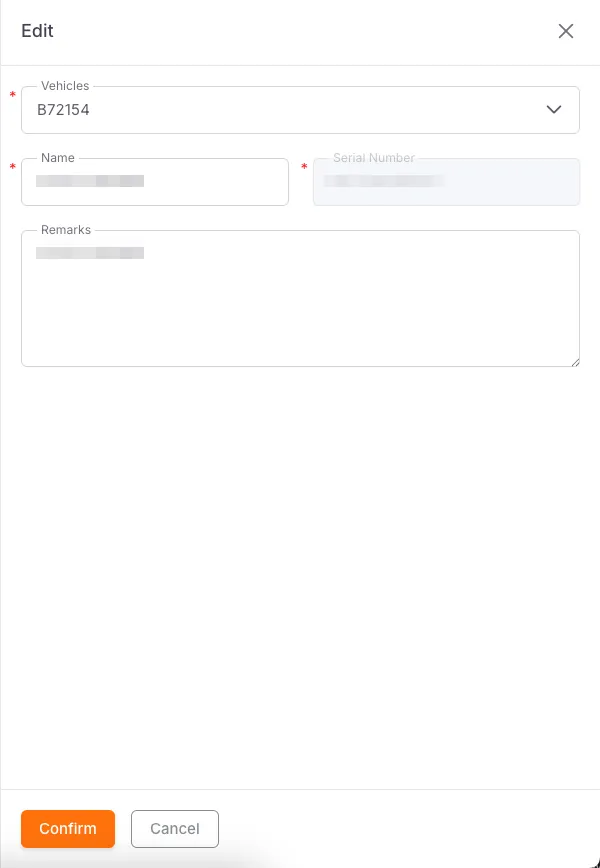
Section titled “Create and Edit Device”Required fields: Monitored Vehicle, Device Name, Serial Number
Optional fields: Remarks
User Management
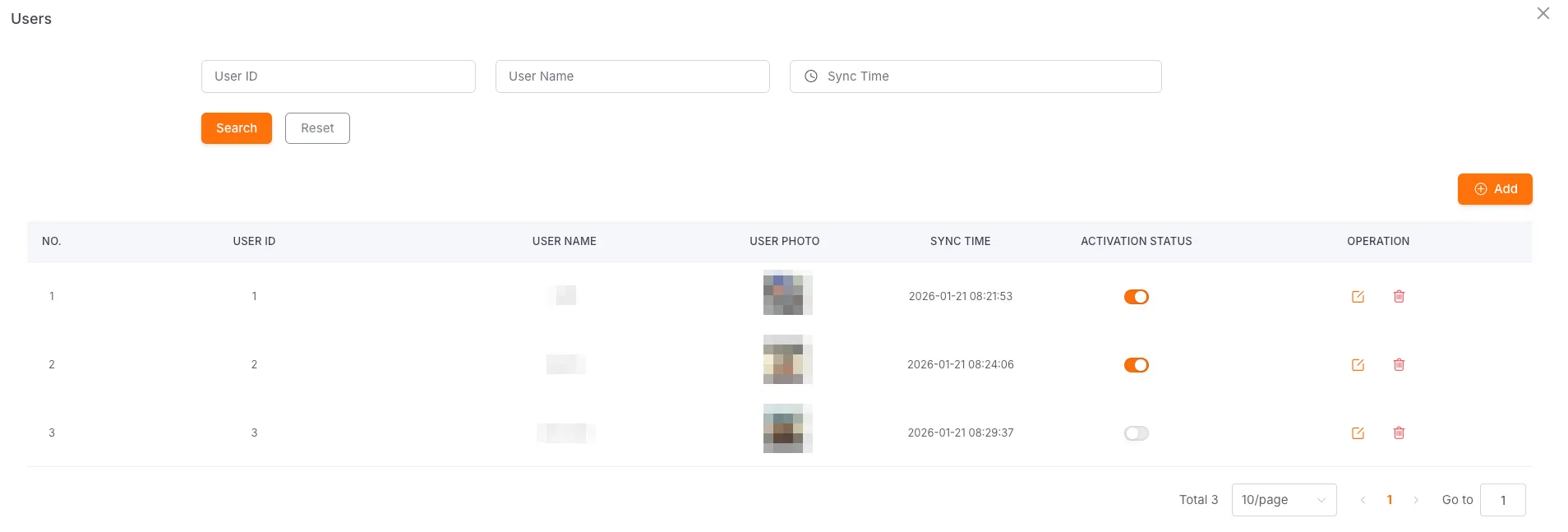
Section titled “User Management”Search filters: User ID, User Name, Sync Time
The User Management module is used to manage user information associated with attendance devices, including User ID, User Name, User Photo, Sync Time. From here, you can create, edit, delete users, and enable/disable their status.
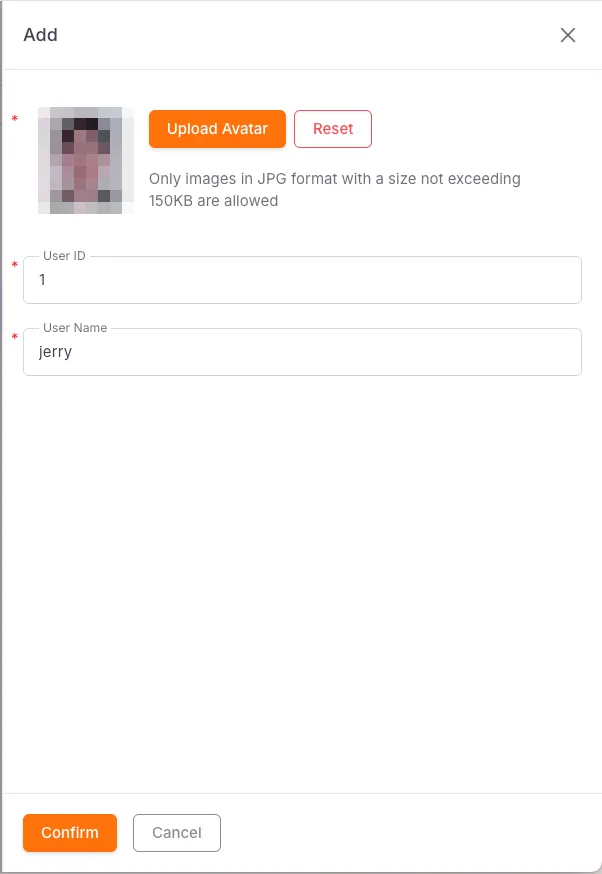
Create and Edit User
Section titled “Create and Edit User”Required fields: User Name, User ID, User Avatar (JPG only, no more than 150 KB, image size 480px × 640px)
Attendance Records
Section titled “Attendance Records”Search filters: Clock-in Time, Serial Number, User ID, User Name
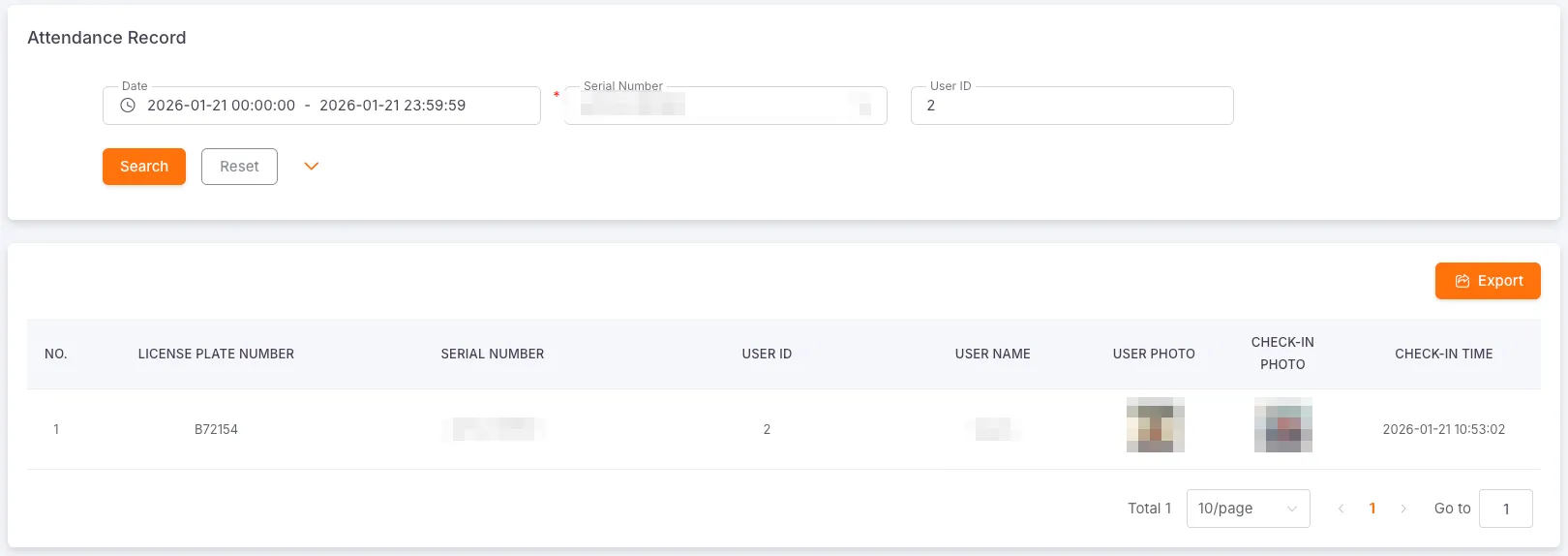
The Attendance Records module is used to query clock-in records reported by attendance devices, including License Plate Number, Serial Number, User ID, User Name, User Photo, Clock-in Photo, Clock-in Time.