Device File Download
Device File Download
Section titled “Device File Download”Download Status
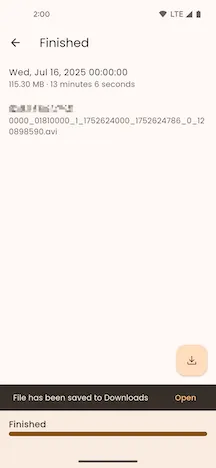
Section titled “Download Status”The top app bar displays the current download status.
File Information
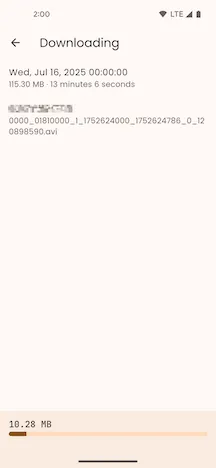
Section titled “File Information”The page displays the device file’s creation time, file size on disk, media duration, and its name and extension on the device.
Download Progress
Section titled “Download Progress”During the download, the bottom app bar shows the size of the file already downloaded and the download progress.
Transcoding Progress
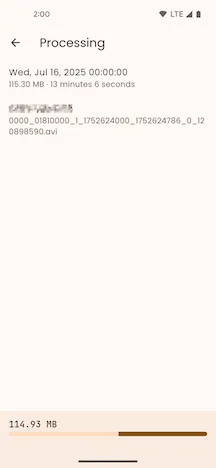
Section titled “Transcoding Progress”MCTool transcodes the file after the download. The page shows the transcoding progress.
Download Complete
Section titled “Download Complete”After the download and transcoding finish, MCTool shows Saved to Downloaded Files. Select Downloaded Files to open the Downloaded Files page. You can play or manage the file on this page.