Device File List
Device File List
Section titled “Device File List”Filter Files
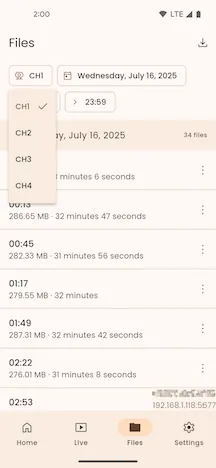
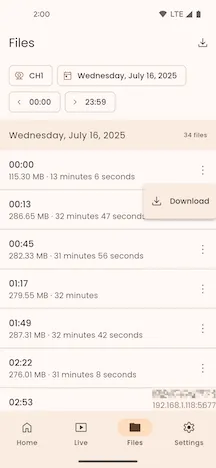
Section titled “Filter Files”Select Channel. Then select the Device channel.
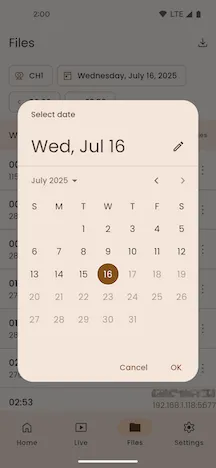
Select Date. Then select the file creation date.
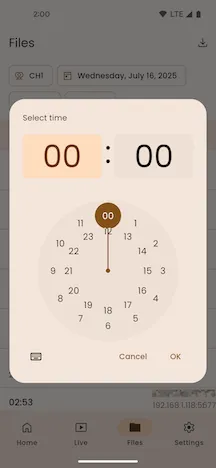
Select Time. Then select the file creation time period.
File List
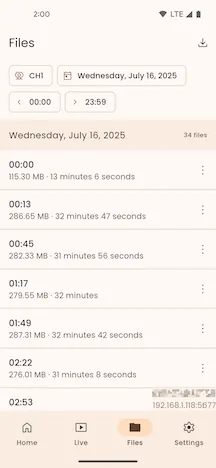
Section titled “File List”The file list groups Device files by date. It displays files from the selected channel, date, and time period in ascending creation-time order. It also displays the file count for each date.
Refresh List
Section titled “Refresh List”Pull down the file list to refresh it. MCTool queries the Device again and loads the file list.
File Information
Section titled “File Information”Each file item displays the creation time, file size, and media duration.
Download Files
Section titled “Download Files”Select More for a file item. Then select Download. MCTool opens the Device File Download page.
View Downloads
Section titled “View Downloads”Select Downloads on the right side of the top app bar. MCTool opens the Downloaded Files page.