Monitoring and Intercom
Related Workflows
Section titled “Related Workflows”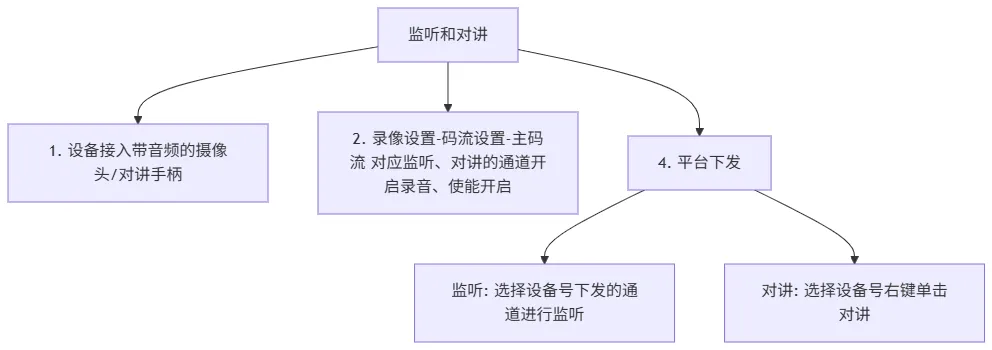
Description and Requirements
Section titled “Description and Requirements”-
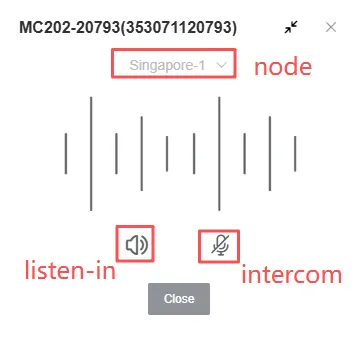
Listening: Clients can select different channels supported by the device to perform one-way audio monitoring;
-
Intercom: Clients can engage in two-way real-time voice calls with the device;
-
The device must be connected to an audio output device, such as a speaker or intercom handset;
-
The device must use an audio format that matches the platform’s configuration;
-
The monitoring channel must be connected to a camera with audio, and the audio recording function must be enabled;
Detailed Instructions
Section titled “Detailed Instructions”-
Log in to the platform, go to the home page, and click
Video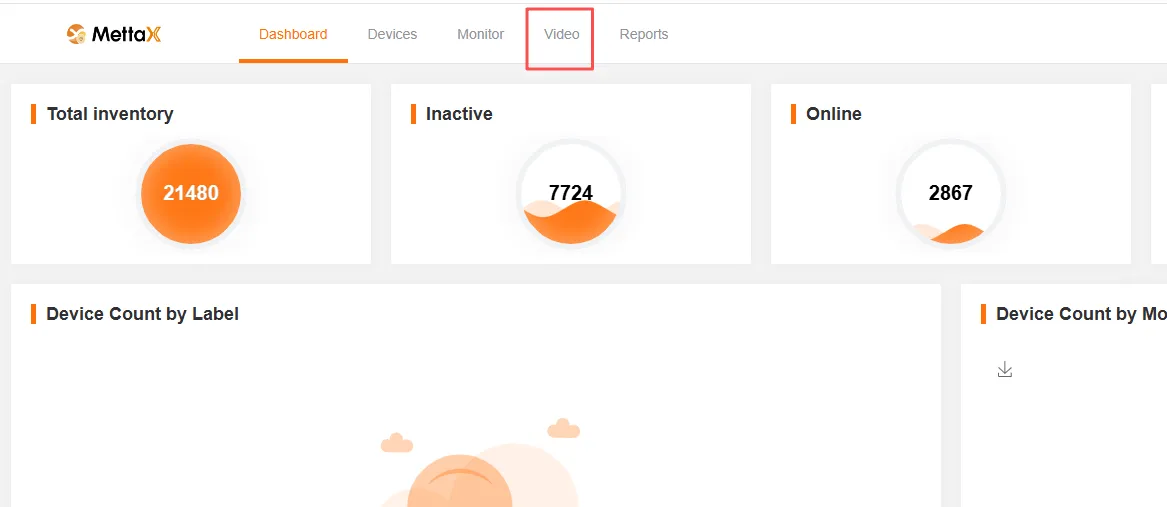
-
On the
Videopage, go to Live, enter the Device ID in the input field, and click theCall Buttonto open the monitoring and intercom window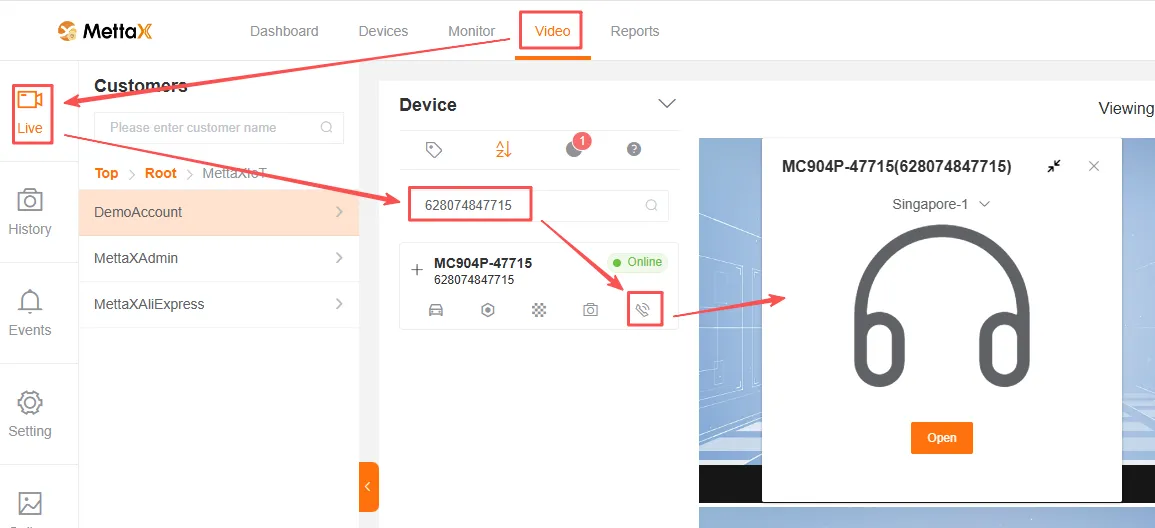
-
Click
Nodein the pop-up window to switch between different nodes; click theOpenbutton to enter the monitoring and intercom interface