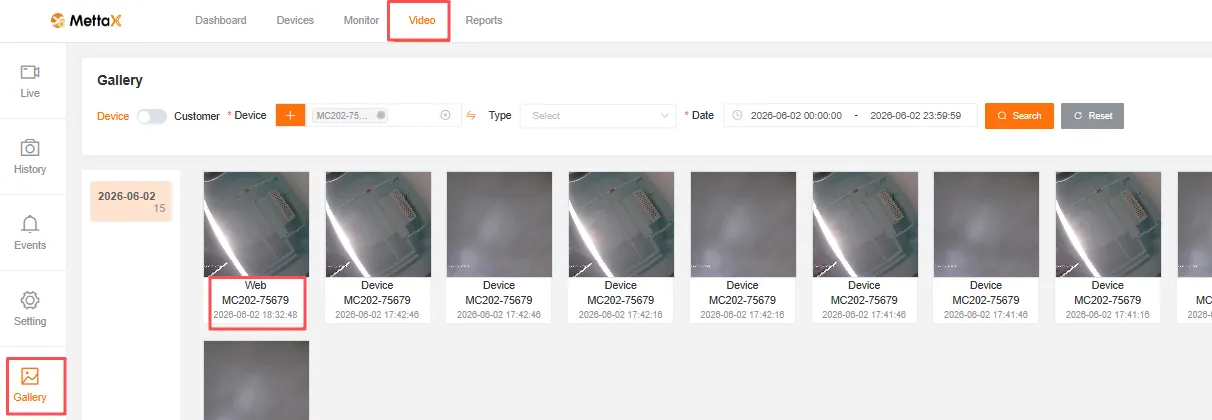
Remote Snapshot
Remote Snapshot Capture via the Platform
Section titled “Remote Snapshot Capture via the Platform”-
Prerequisites: The device must have a TF card and SIM card inserted and be online on the platform.
-
Log in to the
IOTplatform, enter the Device ID in the Monitor interface, and clickSnapshotto capture an image.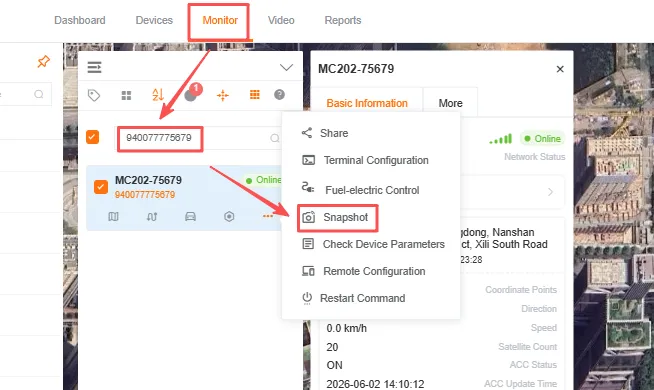
-
The platform only allows single-channel snapshots; you can choose whether to display the captured image in a pop-up window.
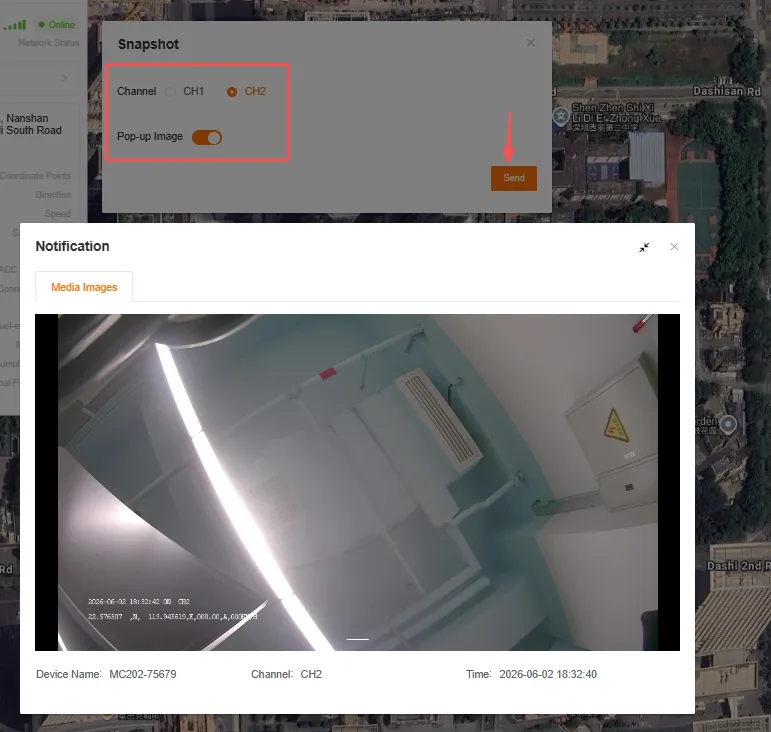
-
You can also view the captured image in the
Gallery.